IPTV Providers
IPTV, also known as Internet Protocol Television, is the system through which the television services are delivered over the Internet, instead of being delivered through the traditional formats.
The IPTV services are classified as :
- Live Television
- Time Shifted Television ( catch-up TV or start-over TV )
- Video on Demand ( VOD )
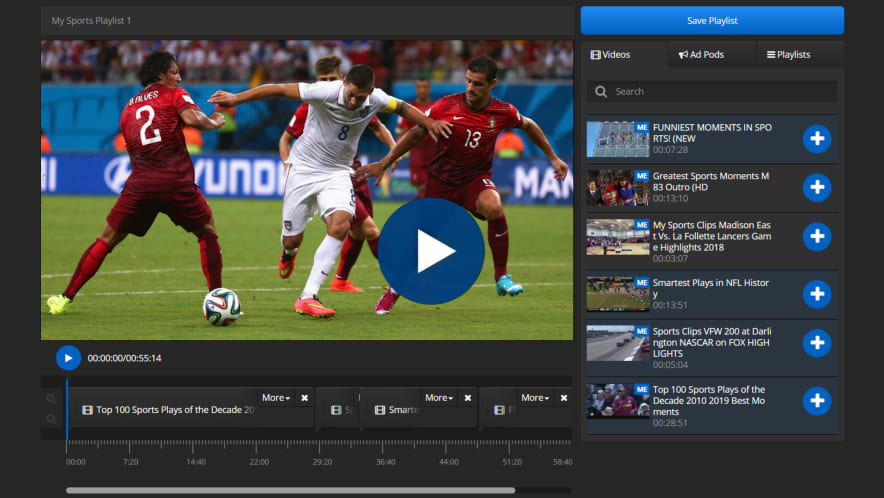
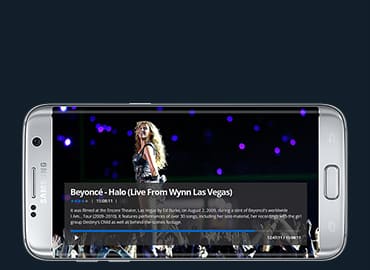
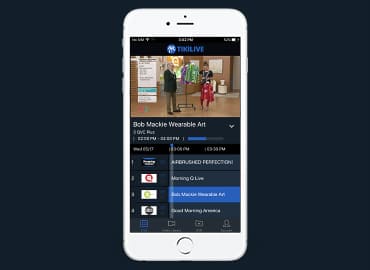
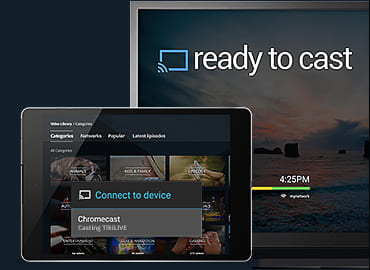
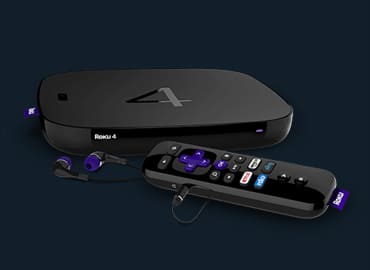
The TikiLive Platform is the IPTV solution that allows you to deliver your LIVE or prerecorded content over to your subscribers in their own home comfort. The content is accessible directly on their own TV using a set-top box.
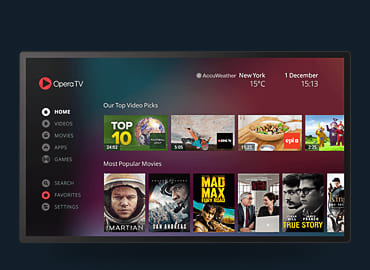
Your audience can browse through the VOD lists and pick the one video they want to see.
The IPTV capabilities of TikiLive will bring you more money once you simply set the fee from your broadcasting account for the content you publish , either Live or VOD.
Online IPTV Channels Used for Disasters and Emergency Preparedness
Towns, cities and governments can provide tailored information without commercial interruption
Towns, cities, and other governmental agencies are now using online IPTV channels to keep their citizens informed about preparedness and management during natural disasters or other emergencies . This allows local citizens to access 24/7 information specific to their area without interruption.
When Hurricane Isaac hit the coast of Louisiana and Mississippi last month, St. Tammany Parish provided updates to their visitors using TikiLIVE, Eyepartner’s flagship HD broadcasting service which provides its users with a comprehensive set of tools for producing and managing live HD streaming content. Before and during the hurricane, the St. Tammany TikiLIVE page provided updates from such sites as the National Hurricane Center on three different screens as well as a scrolling text update at the bottom. At other times, cities and towns, such as the St. Tammany Parish, can broadcast community events, council meetings, their local television channel, or provide VOD content.
Towns, cities, and government agencies can inexpensively broadcast the highest quality LIVE video or offer VOD in HD through their own branded channel. The user only needs a video camera, and no proprietary or expensive equipment is needed. TikiLIVE offers many broadcasting options, such as social media sites (including Twitter and Facebook), set top boxes (including Roku), WordPress, and mobile devices.
“Providing updates quickly and efficiently during a time of emergency is critical,” said Tim Green, Chief Technology Officer of Eyepartner. “Residents can now easily access a wide variety of information at low cost and with little effort.”
Using the TikiLIVE platforms, organizations can get feedback, such as the number of views. Also, TikiLIVE allows users to converse and share ideas in a chat box. TikiLIVE offers users a variety of options for broadcasters to customize their own channel, as well as a Channel Manager and Electronic Program Guide.
Some of the other benefits of and features available on TikiLIVE include the ability to:
• Easily brand connect, manage and monetize HD content
• Immediately track viewer habits and click-thru statistics from every channel
• Produce and promote events, sponsors or products using pre, mid, and post-roll overlays
• Allow for uploading, storing and managing networks of digital video inventory
• Upload, Transcode and deliver HD or SD video on demand
• Create themed channels, ingest commercials and publish to your network
To visit St. Tammany’s TikiLIVE channel, please visit: http://www.tikilive.com/show/access-st-tammany
About Eyepartner: Eyepartner is a software development and hosting company that deploys and hosts rich media enterprise broadcasting software while providing first in class hosting to its clients. Eyepartner solutions focus on delivering high quality video, including both live streaming video and video on-demand (VOD). TikiLIVE is Eyepartner’s flagship HD broadcasting service which provides its users with a comprehensive set of tools for producing and managing live HD streaming content. More information about Eyepartner and TikiLIVE is available at www.eyepartner.com and www.tikilive.com. To speak with someone directly, please call 305-289-4557.
Video Encoding
You may ask yourself, What is Video Encoding?
In video editing and production video encoding is the process of preparing the video for output, where the digital video is encoded to meet proper formats and specifications for recording and playback through the use of video encoder software. Also called video conversion.
Now that you know what the definition is, we have noticed a large number of people asking the following questions:
1. Do you have a web page or blog and you need your movie converted and you don’t know how to do this?
2. Do you have an iPod/iPhone and you want your video presentation on it as fast as possible?
3. Do you have a PlayStation, XBox, or any video console and you want to see your favorite movie on it?

What is Video Encoding
The Monster Encoder has the capabilities to do the following:
Encode ANY Format: Encode your video to MP4 for HD Quality. Publish from cameras, mobile phones and webcams, all within an easy-to-use web interface. You can even upload MP3 files for conversion too!
Easy Upload Interface: Just point, click and send to The Monster Encoder for processing. The Monster will notify you when your file is ready to preview and publish for your audience.
No Codec Needed: The Monster Encoder works with all Content Delivery Solutions and may be custom configured just for your businesses needs.
No Proprietary Equipment Needed: We use the latest open standards for transcoding. All transcoding occurs at the server so no typing up your valuable assets in your office.
Upload Various Screen Sizes: Transcode to low or high quality HDV file formats for all of your streaming needs. Host the media on your servers or contact us for low hosting rates and a FREE month trial!
Customizable Players For Playback: Add DRM (Digital Rights Management) or a logo watermark to your content. Try The Monster by signing up for a free demo account today!
Get Started Today! Call Tim Green at (305) 289-4557 or send me an email at tim.green@eyepartner.com and I will be more than happy to help you with your needs!
Premium Word Press
- ♦ Build Your Online Presence and increase your search engine rankings!
- ♦ Take advantage of social media platforms like Facebook and Twitter by adding your profiles and fan pages to your site
- ♦ Completely customized, easy-to-use WordPress site while syncing your content from your TikiLIVE account.
- ♦ Broadcast LIVE with the HDWAVE or our newest HDWAVE Desk Share!
- ♦ Generate revenue by charging Pay Per View for your LIVE Events and earn easy residual income from Videos On Demand
- ♦ Customize Your Site to get Noticed!
Get Started Today
- ♦ Call Betsy Facenda TODAY for a FREE consultation! (305) 289-4557
- ♦ Support when you need it! Whenever you have a question or need help with something, you can chat using our LIVE Support, put in a Support Ticket and our staff will answer you right away!
Streaming To Roku
According to Roku, they sold about a million and a half devices in 2011 which is three times more than the previous year. Roku also announced they have received $45 million in a new strategic investment. So as you can see, they continue to climb the ladder faster than ever imagined.
With that being said, how would you like to start streaming to Roku today?
Weather you are becoming a channel on our TikiLIVE, or owning your own turnkey solution such as Hawaii Stream we have simplified this for you. (We even made it Blonde Simple (don’t worry my hair is blonde, so I can say this
) I will outline below how easy it is to start streaming to Roku.
We have dedicated a portion of our manual to explain how to Broadcast to Roku. In the manual links, you will notice we have taken screenshots to make it even easier to follow.
Click below to view the following manual links:
Roku Supported Formats
Add a new channel
Broadcaster Options
Watch TikiLIVE on Roku
Publish your own Channel
Our company offers more than just excellent software, we also offer 24/7 Customer Support as well!
To view more case studies, click here.
If you would like to know more about owning your own turnkey solution or just becoming a channel on tikilive, please contact me using any of my contact information listed below and I would be happy to assist you!
Contact Tim Green at:
Office: (305) 289-4557
Email: tim.green@eyepartner.com
Tim Green discusses TV in a cloud
August 2nd 2012 – TV in a Cloud
Join Tim as he discusses how TikiLIVE enables content producers to deliver TV in a Cloud.
CLICK HERE to contact us, or call 305-289-4557 to talk to Betsy directly.
TikiLIVE makes Faith Based Streaming Possible
Faith Based Streaming
Sales Team discusses how TikiLIVE enables faith based streaming.
CLICK HERE to contact us, or call 305-289-4557.
HTML 5 Fallback players
HTML5 Fallback VOD Player
Live 24/7 Demo for any device
Recorded WhiteBoard Session – From Browser
Auto-Recorded White Board Session
The above video is for our proof of concept for recording a browser-based whiteboard session. It is playing in our HTML5 player and is available on any mobile device that supports HTML5 (such as iOS)
CONTACT US to find out more information, or call us directly at (305) 289-4557.
Best Video Conference
There are several key points to consider when choosing the best video conference software. When making your decision, whether it is for yourself or your professional use, examine your needs before deciding what software to go with.
The HD Wave Desk Share can take you anywhere you want to go! Our team spent time researching and developing the best video conference out in the market today! This program will not only let you talk face to face with people around the world, it will allow you to share your desktop as well!
We have made it very simple to follow:
1.Easy To Use: The HD Wave Desk Share is so simple to use without any propriety hardware! Simply download the software and follow the manual link by clicking here. In the manual link, you will see that we have made it easy to follow by also putting pictures in our step by step guide to set up.
2. Features: The HD Wave Desk Share is a one-stop-shop for all of your conferencing needs!
- ♦ Multiple video audio capture
- ♦ On the fly switching of media sources including full desktop
- ♦ Ability to use picture and picture while resizing the screens to fit your needs
- ♦ Share your entire desktop or snap to a specific zone and stream only a portion
- ♦ Sharing video, Power Point Presentations or webpages
- ♦ Enables you to stream instantly any part of their desktop in either Standard or High Definition
- ♦ Ability to chat with your audience
- ♦ Auto record your conference allowing users to view at a later date
- ♦ Broadcast Video Calls from Skype
- ♦ Pc-to-Pc Calling
3. Video Features: There are some companies that offer Streaming Video which will limit you to first record your video before sending. Using HD Wave DeskShare, you will be able to see and hear the other people as if you were in the same room as well as adjust the video window to fit your needs.
4. Help / Support: Don’t Worry!! We have 3 different ways to reach out to us if you shall need anything!
- ♦ Chat with our LIVE Online Support from 02 AM until 06PM found here:
http://www.tikilive.com/show/eyepartner-live-support - ♦ Once you have an account created with us, you will have access to our Support Ticket System. This will allow you to put in a request and our Support Team will respond right away with an answer.
- ♦ You may also call our office at (305) 289-4557 and speak to our Sales Team!
Now that we have explained what The HD Wave DeskShare is capable of, our Sales Team is standing by to take your calls so we can get you started TODAY!
Be one of the 1st 50 callers and receive a FREE Trial so you can see how easy it really is! (305) 289-4557